Record the journeys that matter
Build an ordered sequence of clicks, hovers, navigations and log messages in Data Collection → New Rule → Add recording trigger. When a browser completes the sequence, it requests a replay capture. Sessions show the trigger name and a readable sequence, so you can find the visits that followed that journey.
Recording triggers need browser SDK 2.0 or later: @tracewayapp/frontend, or the React, Vue, Svelte or jQuery wrapper of the same version. The SDK advertises io.traceway.sdk.sequence-triggers/v1 over OpAMP, but the server does not act on it: every client the rule matches gets it. An SDK that cannot read one of these event matchers drops the whole trigger, and the legacy 1.x SDK never polls for rules, so upgrade the browser integration before relying on one. The builder is shown for browser projects (React, Vue, Svelte, jQuery) only.
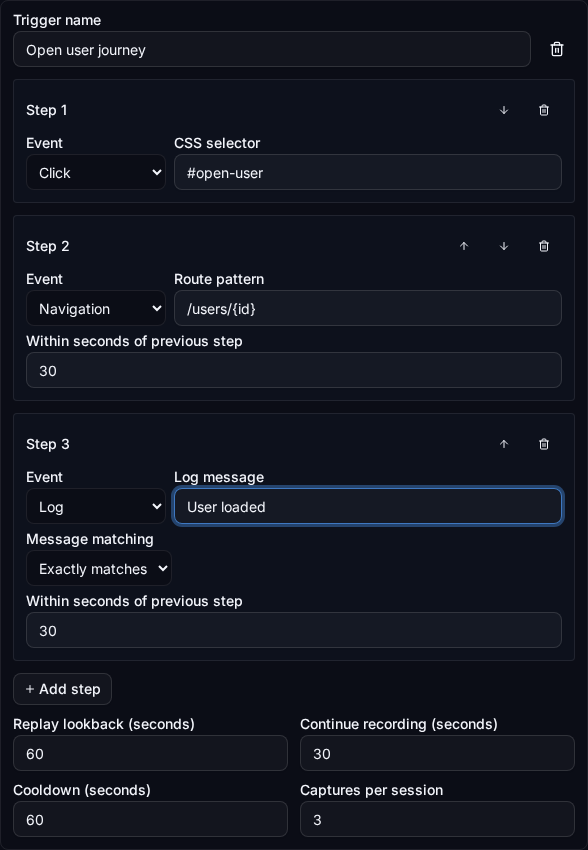
Build a sequence without writing a query
- Select the browser project and open Data Collection in its sidebar.
- Create a Rule. Use the rule's targeting controls to choose the release, environment or cohort that should receive it.
- Add a recording trigger and give it a recognizable name, such as Open user journey.
- Add Click with
#open-user, Navigation with/users/{id}, and Log withUser loaded. Choose exact or contains matching for the log. - Set the time allowed between steps, replay lookback, capture duration, cooldown and maximum fires per session. Save the Rule.
The form supports up to five ordered steps. You can reorder or remove them; no expression language is needed. The sequence shown on sessions is a display summary, not executable code.
What each event means
| Event | Matching behavior |
|---|---|
| Click | A trusted browser click whose target or an ancestor matches the selector. Clicking a button's nested icon or span still matches the button. |
| Hover | A trusted pointer entry into a matching element. Moving between its children does not count again. Touch pointer entries do not count as hover. |
| Navigation | A case-sensitive pathname match. /users/{id} matches one nonempty segment, such as /users/42. Queries and fragments are ignored; /users/42/edit does not match. SPA navigation and same-tab full-page navigation are supported. |
| Log | A log line: a console call, a record of the OpenTelemetry logs API, or a Traceway message. Exact matching is the default; contains matching is case-sensitive. Matching examines at most the first 4 KB of the message. |
Use stable IDs, classes or data attributes such as [data-action="open-user"]. Quote an attribute value that is not a plain name: [data-step="2"], not [data-step=2], which browsers reject. Selectors support tags, IDs, classes, attributes and descendant/child/sibling combinators. Pseudo-selectors, comma lists and escaped selectors are intentionally unsupported. Avoid dynamic user-specific selectors or text containing personal information.
One event advances at most one step. Unrelated events do not complete the next step, and they do not undo progress either: when the first step happens again in the middle of a sequence (the user hovers the menu a second time, an error storm continues), the sequence already under way keeps going and a second one starts beside it. Each later step has a timeout measured from the step before it; progress older than that is dropped. A path is matched as it reads, so /café matches the address the browser reports as /caf%C3%A9. A new trigger defaults to a 60-second lookback, 30-second capture, 60-second cooldown and three fires per session. The lookback can include only replay already present in the bounded local buffer.
Pending progress is stored in sessionStorage, scoped to the project token and session. A same-origin full-page navigation in the same tab can continue it after remote settings load. It does not join journeys across tabs, origins or sessions. Changed steps or actions invalidate pending progress. If storage is unavailable, the current page still evaluates the sequence but reload recovery is unavailable.
Find sessions by recording trigger
The session list shows clickable tags with the trigger name and sequence. Choose Recording trigger to filter sessions, or click a tag to open a shareable URL with triggerId. The filter counts sessions, not trigger fires, and works with the selected time range and other session filters.
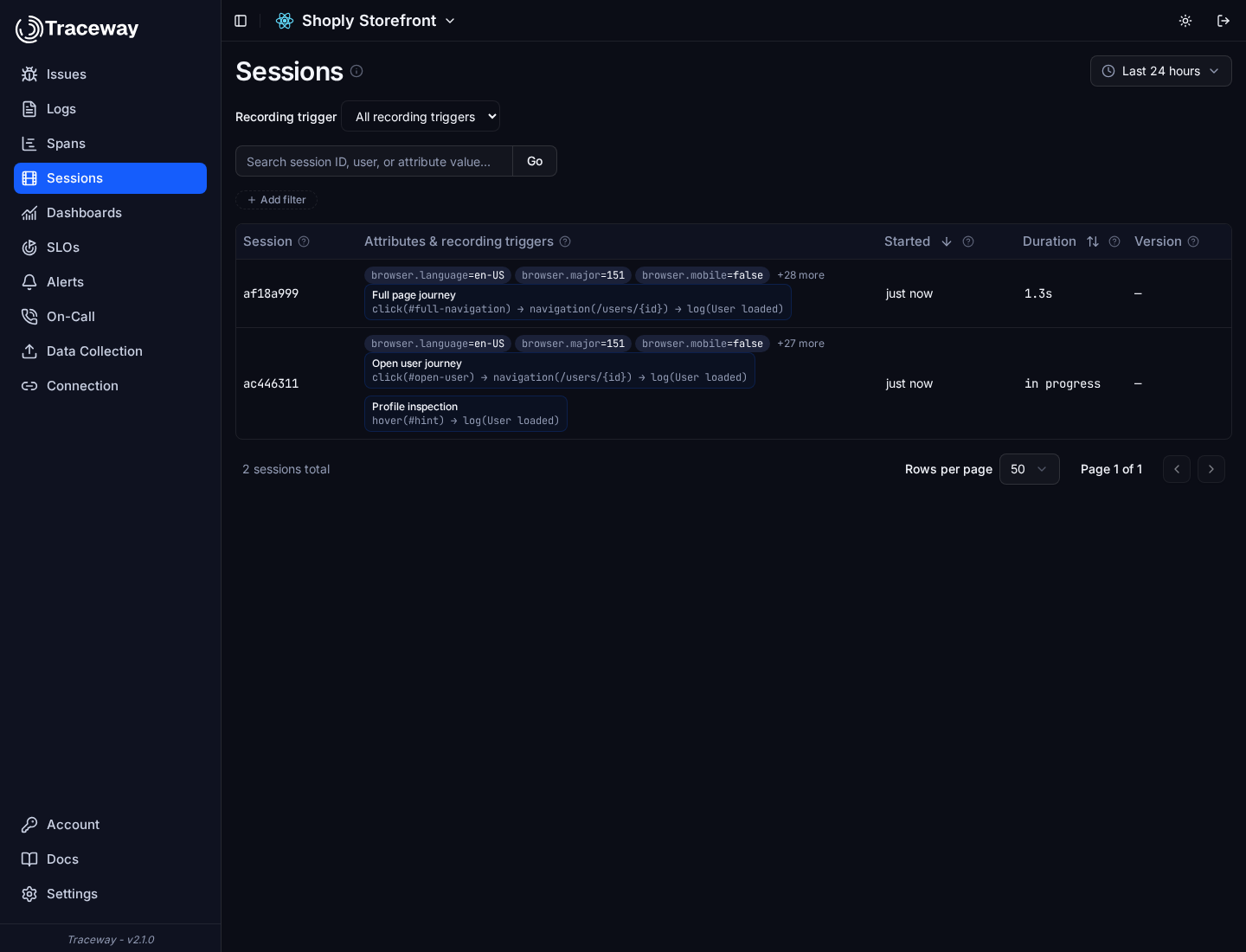
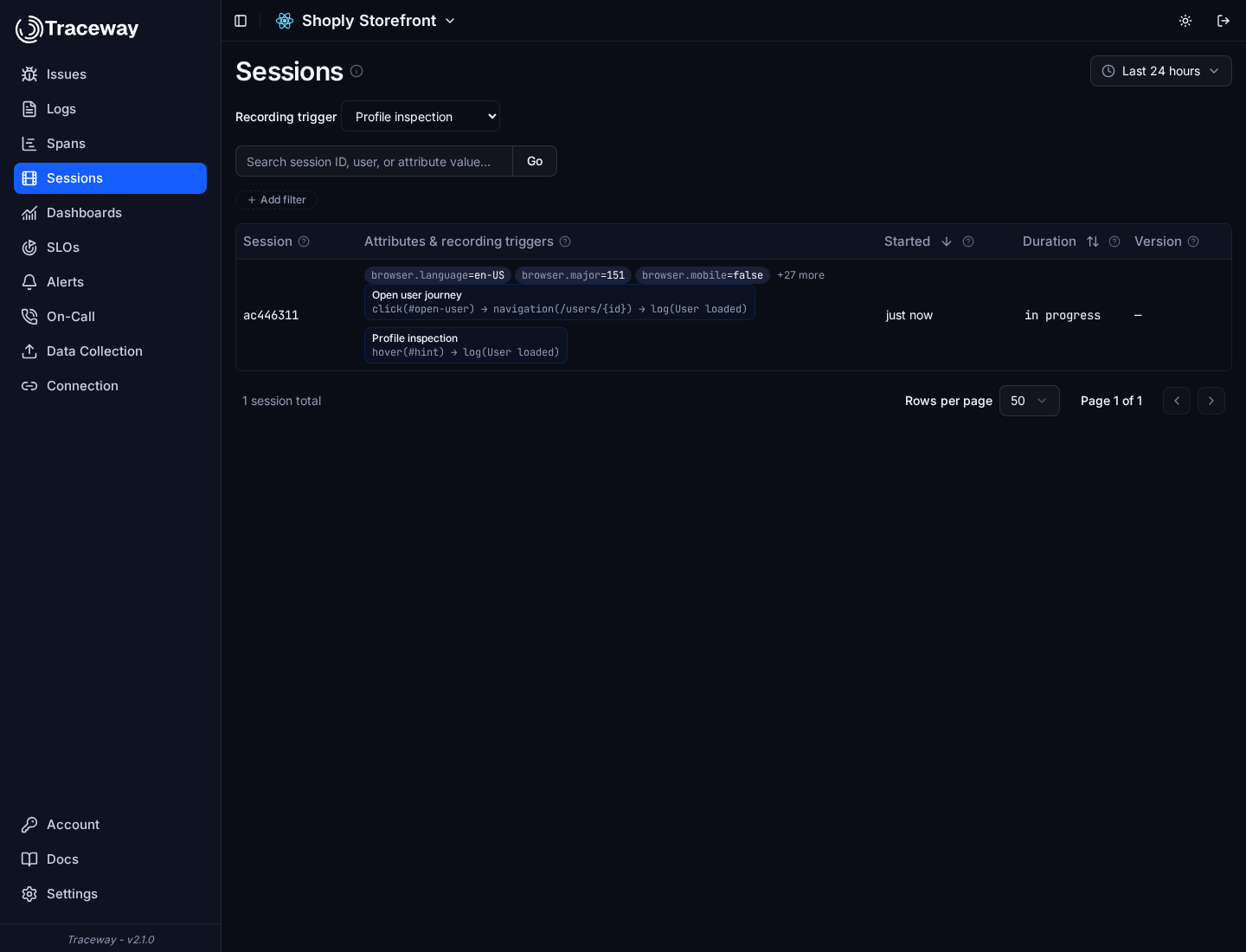
A session can have multiple reasons. Traceway stores a separate association for each session, trigger and revision, with a snapshot of the name and sequence. Repeated delivery does not duplicate the tag. Editing or deleting the rule leaves historical reasons intact until telemetry retention removes them. Filtering uses the stable trigger ID across its revisions.
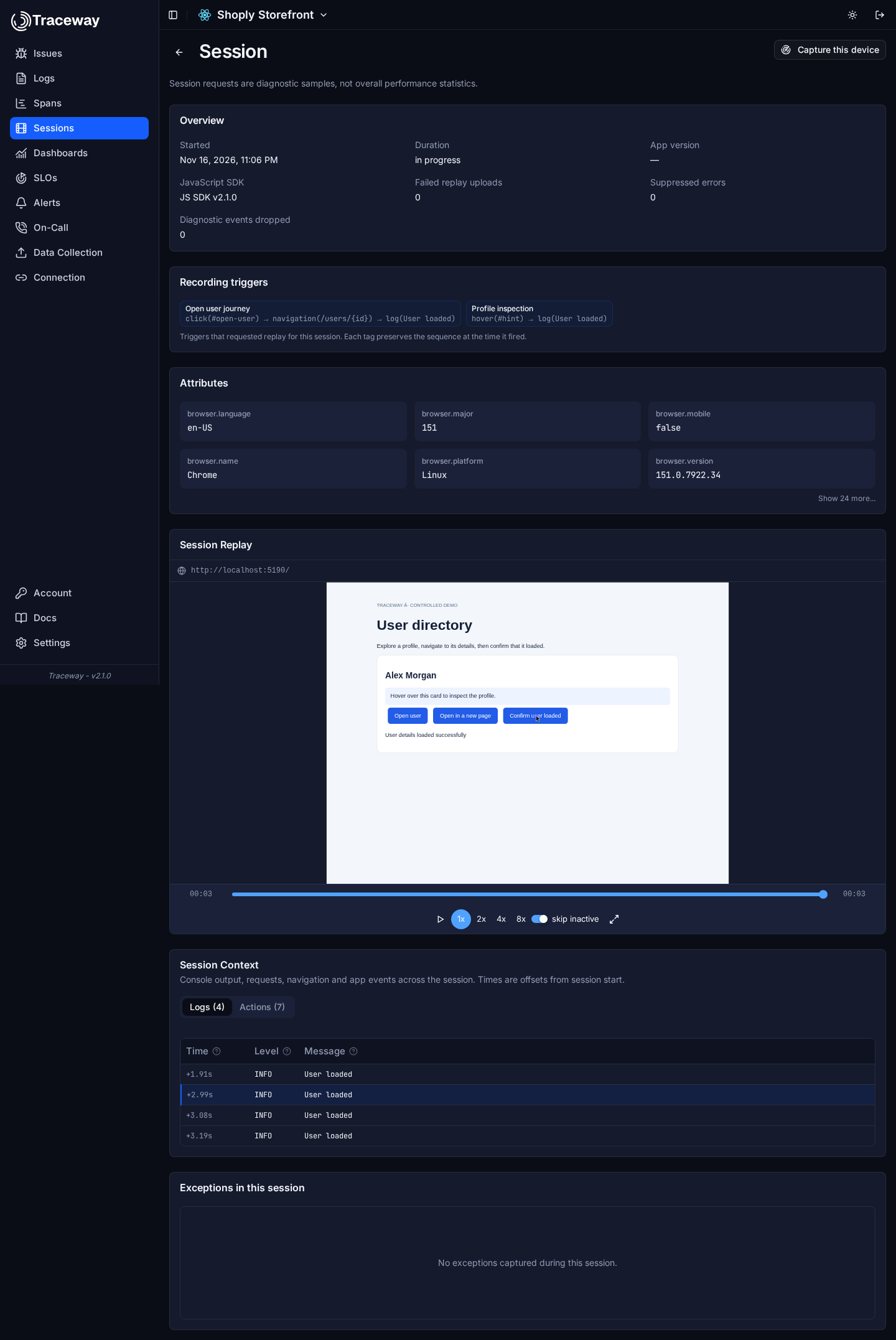
A reason means the SDK requested capture; it does not guarantee that replay arrived. Check the session's recording availability. Collection ceilings, replay disabled by the application, consent, offline delivery and retention still apply. Browser-reported reasons are diagnostic telemetry, not an audit trail or proof of a business transaction.
Why use it
Capture a specific interaction that leads to a confusing state without recording every visit. Combine multiple independent journeys on one session, then return to the same population through a trigger filter. Metrics and SLOs still measure the broader observed population: sequence-selected replay is a diagnostic sample and must not be used as an unbiased conversion or reliability denominator.
OpAMP distributes the settings and reports configuration status. The sequence matcher runs locally in the SDK, and existing replay and telemetry exporters deliver the capture. This sequence schema is Traceway-specific; it is not an OpAMP standard action language. See the settings reference for the wire representation and RUM for the metric-to-session workflow.